
Appearance
Laravel Custom Error Pages
In previous sections, we encountered various error pages, such as:
- A 403 error when a user lacks admin rights (e.g., jane.doe@example.com): https://vinyl_shop.test/admin/records
- A 404 error when a page doesn't exist: https://vinyl_shop.test/azerty
- A 500 error, a generic error page displayed when something goes wrong AND the
APP_DEBUGenvironment variable in the.envfile is set tofalse.
All these default Laravel error pages, which lack navigation.
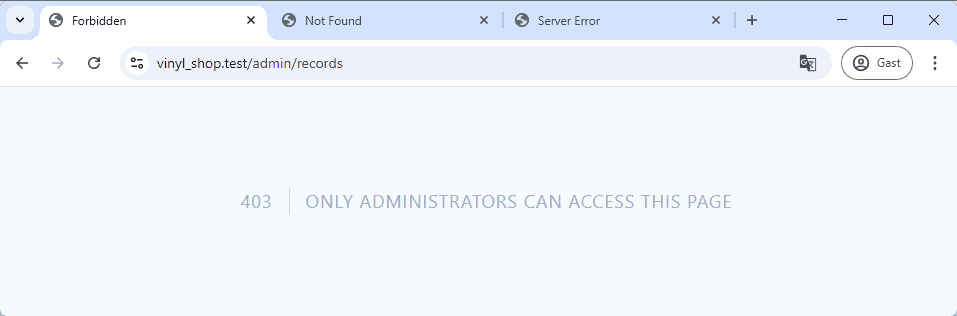
Our goal is to integrate our vinyl shop layout into these error pages.
Publishing Laravel Error Pages
To customize the error pages, we first need to publish the default Laravel error pages using the command:php artisan vendor:publish --tag=laravel-errors. This command makes all error pages available in the resources/views/errors folder.
For instance, opening the resources/views/errors/404.blade.php file reveals the following code:
php
@extends('errors::minimal')

@section('title', __('Not Found'))
@section('code', '404')
@section('message', __('Not Found'))This file, along with all other error pages, extends the errors::minimal template, which resides in the same directory.
REMARKS
Laravel offers two methods for creating layout templates:
- Component-based layouts: This is the modern approach (used in previous sections), employing named slots like
<x-slot name='nameOfTheGap'>to inject content. - Layouts using template inheritance: This is the older method (used for the error page template), utilizing
@section('nameOfTheGap', 'content')to insert content into the@yield('nameOfTheGap')slot in the layout template.
Updating the Error Pages Template
Modifying the resources/views/errors/minimal.blade.php file updates all error pages, as they all utilize this template. Replace the content of resources/views/errors/minimal.blade.php with the following code:
php
<x-layouts.vinylshop title="">
    <div class="grid grid-rows-2 grid-flow-col gap-4">
        <p class="row-span-2 text-red-700 dark:text-red-300 text-5xl text-right border-r-2 border-zinc-200 dark:border-b-zinc-700 pr-4">
            @yield('code')
        </p>
        <p class="text-2xl font-light text-zinc-400 dark:text-zinc-300">
            @yield('message')
        </p>
        <div>
            <flux:button variant="primary" icon="home" href="{{ route('home') }}">Home</flux:button>
            <flux:button variant="primary" href="#" icon="arrow-uturn-left" onclick="window.history.back();">Back</flux:button>
        </div>
    </div>
</x-layouts.vinylshop>The updated layout now uses the <x-vinylshop-layout> template. We retain @yield('code') and @yield('message') from the original template to display the error code and message.
REMARK
Restart the dev server if the new lay-out is not immediately visible.
Jane Doe, lacking admin privileges, should not be able to access the admin/records pages. 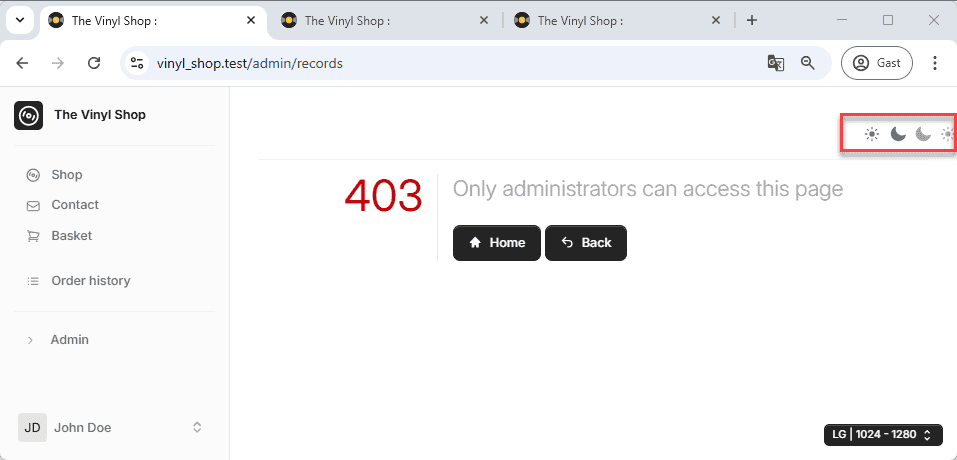
Removing Imperfections
Now that we've updated the error page templates, let's address some remaining issues to ensure a polished user experience. The screenshots above reveal some imperfections:
- The error pages have four icons in the top right corner and the links are not working.
- The 404 page incorrectly displays the login and register buttons, even when a user is logged in, and it's missing the authenticated user navigation.
To avoid confusing the user, we'll remove these imperfections. Fortunately, we assigned IDs to these elements while creating the layout page.
The resources/views/components/layouts/vinylshop/navbar.blade.php file contains an id="auth-buttons" attribute for the button group:
php
{{-- only visible for guests --}}
@guest
    <flux:button.group id="auth-buttons">
        <flux:button icon="user" href="{{ route('login') }}">Login</flux:button>
        <flux:button icon="user-plus" href="{{ route('register') }}">Register</flux:button>
    </flux:button.group>
@endguestThe resources/views/components/layouts/vinylshop/toggle_mode.blade.php file has an id="toggle-mode" attribute for the button:
php
<flux:button id="toggle-mode" ...>
    ...
</flux:button>We can now easily remove these elements from the error pages by adding a small JavaScript snippet. Our template includes a @stack('scripts') slot, allowing us to inject JavaScript code using the @push('scripts') directive.
Add the following code just before the closing </x-layouts.vinylshop> tag in the resources/views/errors/minimal.blade.php file:
php
<x-layouts.vinylshop>
    <div class="grid grid-rows-2 grid-flow-col gap-4">
        ...
    </div>
    @push('scripts')
        <script>
            document.getElementById('toggle-mode').remove();
            document.getElementById('auth-buttons').remove();
        </script>
    @endpush
</x-layouts.vinylshop>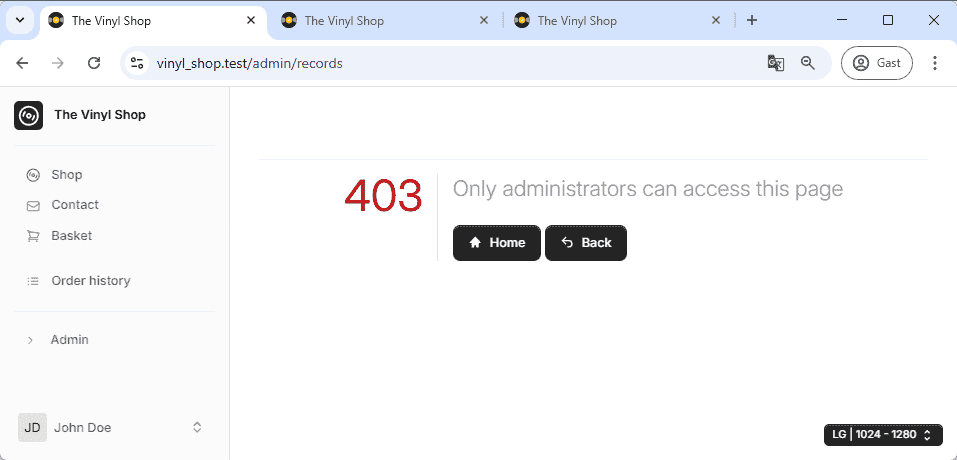
Localizing Error Messages
Laravel supports localization, allowing you to display error messages in multiple languages.
More about localization can be found in the Config -> Localization chapter.